
Buyer's Guide
POS Systems Introduction
A point of sale (POS) system is the 21st century evolution of the classic cash register. Retail and hospitality businesses use POS to track sales, returns, special orders, layaways, store credits, customer histories, and inventories. In short, the right POS system gives you control over and insight into your operations.
A basic POS system consists of a computer, a cash drawer, receipt printer, monitor, and an input device (such as a keyboard or scanner). All POS systems track transactions and generate detailed reports allowing you make more informed business decisions. The right POS system will save you money and improve your productivity over time.
This BuyerZone POS System Buyer's Guide will explain all the features and benefits of a point of sale system. We'll teach you how to evaluate POS sellers, and then put you in touch with several qualified resellers for a free price quote.
Before getting started, it’s important to have a firm understanding of the unique benefits of a POS system and how it can be put to use within your business. If you’ve used a system before or are already familiar with the ways it can be integrated into your operation, you can skip ahead to the section on Hospitality vs. Retail. If not, here’s a quick rundown on the latest in POS capability.
Benefits of a POS system
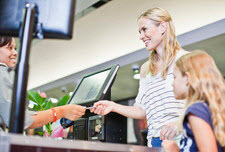
A POS system can revolutionize the way you do business. From increasing employee productivity to measuring your return on investment, the benefits of a POS system cannot be overstated. Here are some of the ways a modern point of sale system can improve your business operations.
Financial savings
- Reduce shrinkage. By carefully tracking and monitoring inventory a computerized POS system can drastically cut down on shrinkage--the inventory that disappears from your store or restaurant due to theft, waste, and employee misuse.
- Ensure pricing accuracy. With or without barcode scanning, POS systems ensure that every item in your store or on your menu is sold for the correct price. Your staff will never mis-enter or guess prices again. Plus, you can change prices with just one tweak in the computer.
- Improve your margins. Detailed sales reports help you focus on higher-margin items. When you know exactly what's selling and what's not you can boost sales of high-profit items by moving products within a retail location or promoting under-performing dishes in a restaurant setting.
Information
- Know where you stand. At any point of the day, a POS system can instantly tell you how many of a particular product have sold today (or last week, or last month), how much money you have in your cash drawer, and how much of that money is profit.
- Manage your inventory. Detailed sales reports make it easier for you to keep the right stock on hand. Track your remaining inventory, spot sales trends, and use historical data to better forecast your needs. The software can also alert you to reorder when stocks run low.
- Build a customer list. Collect the names, emails, and addresses of your best customers as part of standard transactions. Then use the list for targeted advertising, email marketing, or incentive programs.
Productivity gains
- Ease management burdens. By automatically tracking inventory, sales figures, product orders and reorders, and by running reports needed for accounting a POS system can save your management team a lot of repetitive yet necessary paperwork.
- Improve transactions. Whether you're implementing barcode scanning at your retail checkout or automating order relay from your restaurant dining room to kitchen, a POS system streamlines your processes so customers get faster, more accurate service.
POS systems are not one-size-fits-all. In fact, they’re split into two specific categories based on their prevalence within those industries. Though the choice would seem simple, largely based on whether you operate a hospitality or retail business, there are a number of unique aspects for which each system has been tailored. Learn more about each below.
Hospitality POS vs. Retail POS
The POS market is divided into two distinct segments: retail operations and hospitality businesses (restaurants, bars, and hotels).
Retail
Of the two groups, retailers have simpler POS needs. Their transactions are completed all at once, and there is often less variation in the types of products they sell.
A common challenge some retailers face is the need for a product matrix. Your POS system can support matrixes if you sell items that come in a variety of styles, like clothing or shoes. For example, product matrixes let you create one inventory and price entry for a particular sweater, but still track sales according to size and color. POS systems automatically update all the details with each sale. Other POS features retailers may need include support for kits (buy 1, get 1 free), returns and exchanges.
Hospitality
Just as there are many different kinds of hospitality establishments, there are different POS systems available to meet your individual needs. A qualified POS reseller can help you find the one that is right for you.
A deli or other establishment that sells food by weight will need a POS system that interfaces with a digital scale. A casual dining restaurant will benefit from eliminating handwritten orders and the errors they can cause. A fast food restaurant can speed order assembly, improve communication, and cut down on food waste by using kitchen video systems to display in the kitchen orders taken at terminals out front.
Additional considerations include table service and fine dining restaurants that need to be able to store open checks as well as track which server is responsible for which table. Hotels also have special requirements, like the ability to transfer meal charges from the dining room to a guest's room. (Hotel managers need to be aware that not all POS systems integrate with all property management software.)
In all restaurant settings POS systems improve ROI (return on investment) by tracking inventory and actual costs. Once your POS system has been set up with recipes and drinks it can yield a 2.6% return to your bottom line if used and updated consistently.
OK, now that you have a basic understanding of the benefits and application for each type of system, your next step is to determine which system is right for you by pairing the basic system functionalities to your business needs. A standard system comes with most of what you’ll find below.
POS System Basics
Computer requirements
The central component of a POS terminal is the computer that runs the application. Most resellers prefer to sell you a computer with the rest of the POS system, rather than having you supply your own. Getting all your hardware and software from one source means one provider is responsible for your entire system. This makes setup and ongoing support much easier and ensures seamless compatibility.
POS applications are not very demanding on a computer so an average to low-end device will usually get the job done -- something in the $500 to $800 range should suffice. Most POS software does require newer operating systems, usually Windows XP, Vista, or 7. Note that the availability of POS software for Mac, Linux, or other operating systems is extremely limited.
Power requirements
Having "clean" electrical power is a POS system necessity that many businesses underestimate. When you set up multiple POS terminals, they are networked together the same way computer systems in offices are. Fluctuations in the electrical supply due to blenders, meat slicers, microwaves, and other mechanical devices plugged into the same electrical circuit can easily cause enough noise in the power supply to wreak havoc with POS computer systems.
There are two common solutions to this problem. Power filtering can eliminate troublesome spikes and noise before they get to your computer terminals. An even more robust solution is to install a dedicated circuit with an isolated ground and use it only for your POS systems. Your reseller can analyze your power situation and suggests appropriate safeguards.
By enabling you to minimize the time spent with each customer, while still providing a superior level of service to each, the gear below has the potential to dramatically improve your bottom line and customer service simultaneously.
Point of Sale Hardware & Input Devices
Keyboards and touch screens
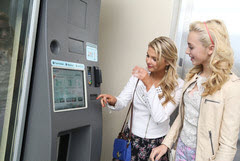
One of the first choices you will have to make about your POS system hardware is whether to go with a touch screen or a programmable keyboard. A good system will support both. Most businesses choose touch screens. The only market where keyboards are more popular is grocery stores, where the ability to program individual keys for specific item codes and prices is appreciated.
Touch screens are more intuitive to use than keyboards for many users. They also provide more flexibility in the user interface and programming. Most touch screens sold these days are based on flat-screen LCDs instead of traditional CRT monitors. While LCD touch screens are slightly more expensive (typically $600 to $1,000 instead of $400 to $500), they last longer, use less electricity, reflect less glare, and take up less space.
Some systems use standard keyboards, while others have POS-specific keyboards, such as the flat-panel membrane keyboards common in fast food outlets. Often, POS keyboards come with built-in magnetic stripe readers for processing credit cards. Programmable keyboards usually go for between $150 and $300.
No matter which you choose, make sure you consider the environment where it will be used. Both keyboards and touch screens are available with varying levels of spill- and dust-proofing.
Scanners
All scanners work in the same basic manner, reading a bar code and sending the resulting numbers back to the computer. Bar code scanning improves speed and accuracy during checkout. Consider your volume when selecting from the following options:
- Entry level scanners are based on charge-coupled device (CCD) technology. These scanners are inexpensive, but usually have a very short range -- the item being scanned needs to be 1 to 3 inches from the scanner.
- Laser scanners, which use a beam of light to read bar codes, offer better scanning ability and can scan at longer distances. Some laser scanners are "autosensing," meaning they turn themselves on when an item is placed in front of them, scan the code, and then turn off again. This feature is ideal within specialty retail environments because of its flexibility, accuracy, and ease-of-use -- just grab the tag and scan it.
- Omnidirectional scanners send out 15 or 20 lasers simultaneously, letting you scan a bar code from any angle. And the top of the line are embedded scanners, which are omnidirectional scanners that are installed below a counter, as is common in supermarkets.
Choose a scanner based on your customer volume. If you do not usually have more than a customer or two in line, CCDs or entry-level laser scanners should meet your needs. A fairly constant flow of customers might call for an autosensing model, and very high volume businesses should investigate omnidirectional or embedded scanners. Prices range from below $295 for the most basic CCD scanners to $1000 or more for omnidirectional laser scanners.
Handheld terminals
The latest type of input device is the handheld, wireless terminal. Essentially a PDA, each handheld terminal wirelessly transmits orders back to a base station. A distinct advantage for restaurants is that they increase the amount of time servers spend on the floor taking orders and interacting with customers, because they never have to go back to a terminal to enter orders.
Some buyers prefer write-on handhelds: instead of trying to compress a touch-screen interface onto a tiny PDA screen, these devices allow servers to simply write the orders down. Handwriting recognition software parses the order then sends it on to the kitchen and bar as needed.
Handheld terminals are understandably more expensive than traditional touch-screen order terminals. However, they can make up for the cost by allowing your servers to spend more time upselling desserts and drinks.
New POS features under development include mobile phone and tablet apps. In hospitality these can track wine lists, menus, and sales data all the way to the item level.
With the basic setup in place, you can further enhance the functionality and productivity of your POS system by adding a printer and specialty peripherals.
Printers & Additional POS Hardware
Every POS system needs a printer to create credit card slips and receipts for customers. Many restaurants also use printers to send orders to kitchen and bar staff. There are two main types of receipt printers: dot matrix, which are being phased out, and thermal.
Thermal printers use heat and special heat-sensitive paper to generate receipts. The cost ranges from $600 to $2000, but they are faster, quieter, and generally more reliable because they have fewer moving parts.
Cash drawers
Cash drawers are essential to safely store cash, credit card slips, gift certificates, exchange receipts, and any other important paperwork. The most important thing to look for in a cash drawer is the sturdiness of its construction. Look for eighteen gauge steel as a good benchmark minimum.
In most cash drawers, the signal to open the drawer comes from the receipt printer. Purchasing an entire system from one reseller ensures compatibility and the ability to replace parts.
Although the life expectancy of a cash drawer is measured in the millions of cycles, you may need to replace the rollers, bearings, and other parts if and when they wear out. Cash drawer prices range from $250 to over $500 for a dual cash drawer.
Shopper/customer displays
Also known as pole displays, these accessories show item and price information to the customer. Some can display advertising as well. Your software will be compatible with the display's emulation if you buy an entire system from one reseller. Average pricing is around $200 to $600.
Magnetic stripe readers
Magnetic stripe readers are required to read credit cards. Often, keyboards and touch screens have readers built in. A touch monitor with a magnetic stripe reader can cost around $1100. Prices for keyboards range from $200 to $400. An all in one shopper display, touch monitor and magnetic stripe costs between $1200 to $1800.
Fingerprint IDs
Security to limit employee access to POS terminals is critical. The two most common methods are simple PIN codes and magnetic swipe cards, but these are both subject to abuses: PIN codes can be read over someone's shoulder, and swipe cards can be forgotten by employees, stolen, or lost. A new add-on many POS systems now offer is a tiny fingerprint ID box -- just big enough for a thumb, the pad ensures that the right employee is able to log on -- and no one else will.
For higher-tier retailers, multifaceted authentication (MAF) safeguards your system and biometric hardware and/or software with password protection.
Additional hardware: scales, PIN pads, signature capture pads, and change dispensers
These devices are most often used in supermarkets and other high-volume retail environments, where they help boost checkout speeds and provide additional security or flexibility for the customer.
Now that you have the physical components, it’s time to select the platform that will tie them all together. Here’s how to find the best software solution for your business.
Point of Sale Software
The basic functionality of POS software does not vary much from one package to the next. Feature add-ons increase the cost; therefore, it's essential to understand the needs of your business and what POS features are necessary for efficiency.
Draw up a list of the factors that make your business unique. What unusual purchasing programs do you have? Do you offer incentives that require very detailed or specific tracking? A knowledgeable POS salesperson will ask you these types of questions to determine what software would be best for you, but it's advantageous to address these topics prior to the sales meeting.
Basic features
Most POS software supports a large number of common functions: displaying the items and prices in a sale, handling taxes, returns, voids, payment options including credit card processing, layaways, discounts, accounting reports, and inventory tracking.
Restaurant POS software allows creation of checks by diner or table, special orders, tracking orders per server, moving diners from the bar to a table, waiting lists, and more. It is safe to assume that any standard customer transaction will be handled by all major POS software.
Capabilities for multiple locations
Some POS software offers an "Internet data board" or mobile "dashboard." This is essentially a snapshot of the day's business that you can access from anywhere with a web connection. Apps for smartphones and tablets will become more commonplace, streamlining and making this process more convenient.
Frequent diner programs
POS systems can make frequent diner programs available to small restaurants, which until now have primarily been in the domain of large chains. These customer loyalty programs, which reward return visitors with incentives or discounts, are rapidly growing in popularity. Examples include point systems that work much like frequent flyer miles -- each item on the menu has a point value associated with it.
Diners accumulate points that can be later exchanged for a free desert, half price special, or discount off their meal. By assigning higher point values, you can give a boost to high-profit or low-performing items. You can also market to customers based on their typical purchase or time of visit.
Other features

- Image viewers that show actual pictures of the products being purchased. This is helpful in price verification and so customers can recognize the product they want.
- Age verification automatically asks for age verification for purchases such as tobacco or alcohol that carry age limits.
- Customer information capture records phone numbers, e-mail or home addresses, recent purchases, and more. This is valuable information for marketing and also allows you to better serve your customers.
- E-commerce options that allow online ordering for brick and mortar stores. This POS feature can track inventory online and in the store.
Questions to ask about POS software
When talking to a seller, use this list of questions to help ensure you’re getting the best software solution for your unique application.
- Does it interface with my accounting software? How extensive is that integration -- is it simply an export of journal entries for the day, or is there a thorough integration of the two programs?
- How easy is it to make changes to the programming? You will need to be able to change prices, items, and employees regularly -- make sure you can comfortably work with the setup interface.
- Does the credit card processing feature work with my current merchant account?
- What type of reports is it capable of producing? Every piece of software will give you basic reports -- ask for samples so you can compare.
- Does it support gift card transactions? Can cardholders check their balances online? Can they reload the gift card or easily get a replacement if it's lost?
- Can you make changes in advance? For example, can you create a Christmas menu sometime in October, and set it to automatically take effect December 1?
- Does it interface with liquor control devices? (LCDs track each pour of a bottle, reducing shrinkage and free drinks.)
Before you get on the phone with a POS seller, it’s critical to know how much you should expect to pay. As with many large purchases, the cost is often negotiable. Review the below pricing information carefully before you proceed.
POS Pricing and How to Buy
As with any significant business purchase, you'll need to conduct careful research before buying a POS system. This includes having a firm understanding of the present and future needs of your business.
Most POS systems are sold through resellers, not manufacturers. These resellers have the expertise to install, program, and support your POS system. Other sellers sell complete systems over the Internet or the phone -- they tend to specialize in less-expensive, one-size-fits-all solutions that may or may not fit your business's needs. Buying a full turn-key system allows you to focus on running your business instead of trying to manage a piecemeal POS system.
Costs for POS systems can vary significantly. A top-of-the-line POS system, installed and customized to your business, can range from $2,000 to $8,000 or more per terminal, including hardware, software, training, and support. You can purchase a complete off-the-shelf system from a discount seller for much less -- as low as $1,000 -- but you will have to install it, program it yourself, and trouble shoot on your own since little or no support is included with off-the-shelf systems. To get a more detailed idea of typical costs, check out what other BuyerZone users found for POS system prices.
Price should not be your most important consideration when comparing POS sellers. The system will pay for itself in time through reduced expenses and increased sales, so you should be certain to purchase a system that truly meets all your needs. Take the time to assess precisely what you need a POS system to do for your business, then research sellers carefully. It's important you have confidence in the seller you choose.
Use extreme caution if you choose to buy a used POS system. While you can save money, most software licenses are non-transferable, so you won't get any support for break-downs or upgrades from the software provider unless you pay them an additional fee. Some will even make you pay the full purchase price of the software. This can quickly wipe out the savings of buying used hardware.
Upgrading POS systems as your business grows is not only easy -- it's expected. Consistent software updates give you access to the latest features. Upgrades should be included in your service contract, or may involve a small additional fee. Adding new hardware -- entire new terminals, or new peripherals for existing terminals -- is also generally easy, provided the hardware you add is compatible with your software. Expect your hardware to last at least 5-7 years with regular software updates available several times a year.
Even if you're a small business, most modern POS systems use a combination of hardware and software that can be technically complex. Be sure to read the benefits of a service support plan and learn how to get the highest level of service at the best price.
POS Service & Support
POS system shutdowns, while uncommon (most reputable POS systems have very good overall reliability), can lead to unhappy customers, lost revenue, and considerable headaches. Therefore, the support policies of a POS seller can determine whether you should do business with them or not.
Get an in-depth explanation of how your potential POS system seller handles support. Find out:
- Do they offer 24x7 phone support? Most resellers will diagnose problems over the phone first -- many basic problems can be solved this way. Some sellers have telephone support available 24 hours a day, 7 days a week, while others are available only during business hours. Restaurants should lean towards sellers who do have 24/7 support, since their busiest times tend to be outside normal business hours.
- Do they have local field technicians? For problems that can't be solved over the phone local sellers usually have field service technicians who can come to your location and make repairs. If they cannot fix the problem on site, they should be able to provide loaner equipment that can keep your business running. Find out what their guaranteed time allocation is for site repairs.
- Can problems be fixed remotely? Some sellers do not have field technicians -- they may not even have an office in your state. Often, they will set up direct Internet access to your system and make changes remotely. Others will send you a replacement component as soon as you call in with a problem, then have you send the broken component to them for repair. Inquire how long it takes to receive replacement components.
- What guarantees do they offer? Resellers provide widely varying guarantees. Some provide parts and labor for one year; others include free phone support for that first year, as well. Many charge per-incident for calls outside of business hours, which is another reason to go for 24/7 support. Some less expensive one-size-fits-all systems may charge for annual support contracts, which negates the cheaper purchase price.
POS support policies can be difficult to compare. But support is the single most important factor of a POS purchasing decision. So make sure you know exactly what your reseller provides in terms of response times, replacement policies, and telephone support.
Training
On-going training helps ensure that you get the most out of your investment. The provider you select should offer classes, group meetings, or webinars to build up your expertise. User group meetings are one of the best places see the newest features in the software, gain new ideas, and network with your peers. There is a direct correlation between satisfaction with your POS system and understanding how to maximize its potential. Ask what kind of education is included; a good company emphasizes training.
Certain sellers and systems offer online training and support with user guides, training manuals, FAQs, searchable knowledge bases, forums, or blogs. If online features like these are important to you, check with all resellers you are considering.
The final step in finding the best POS system is contracting with the best POS seller. And there are a number of important considerations that factor into this part of your decision. Use the following checklist to find the best seller in your area.
Choosing a POS Seller
Because of the essential nature of your POS system, choosing the right POS dealer is as significant a decision as choosing actual hardware and software. Price is only one consideration, so it is worth doing your research before committing to a seller. Here are some ways to make sure that your seller is dedicated to and capable of supporting your business through any potential problems.
Demonstrations
To truly learn if a POS system is right for you, take it for a drive. If the reseller is local, you can visit their facilities and get introduced to the system. This can also give you a sense of how they run their operation. However, an in-person demo and extended "test drive" is strongly recommended if you are unfamiliar with POS systems. Some resellers do on-site demos, which gives you the added advantage of being able to see how the hardware looks in your location. Even better, request a copy of the software and play with it for at least 30 days.
Installation
The quality of a POS installation can have lasting effects on your business. Qualified installers will not take a standardized approach to installation; they will analyze your needs, test your existing infrastructure, including power lines, and make sure you get a system that is customized to your location and business needs. The first week or two of using a POS system will determine whether it flies or flops, so a well-tested installation is essential. Ask how often the reseller will be on site during and after your launch. -- Will they stay only until the system is running, or will they come back to assess how your POS system is working for your business?
Experience
As with any major business purchase, potential resellers' experience in the industry is also important. Investigate how much experience the reseller has in supplying systems to other companies in your line of business. Dry cleaners have different needs than liquor stores, and a self-service cafeteria varies considerably from a sit-down sushi restaurant. Good POS salespeople will ask you about your business, learn what your particular needs are, then provide a solution that is appropriate for you based on their knowledge and experience.
References
Do your due diligence and ask for references from other customers that are in a business similar to yours. Of course, you will be referred to the seller's most satisfied customers, but you can still learn quite a bit from them. Here are some sample questions to consider:
- How has the POS system influenced your business?
- What do you wish you had done differently?
- Have you needed any support or repairs? How did the reseller respond?
- Do you know of an one else who uses this system? (This question can get you additional references to speak to, some of whom might be more candid.)
- If you had to say one negative thing about the system/dealer, what would it be?
Do not be afraid to ask for a reference that dislikes the reseller, as well. Every business has dissatisfied customers from time to time, and their experience can enlighten you as well.
Return policies
Most resellers offer warranties that will enable you to get repairs or replacements for any equipment failures, but returning equipment is more difficult. Many resellers charge restocking fees, $300 and up, for returns on complete systems; some sellers may allow you to exchange individual pieces of hardware for others, but some may not accept returns at all. Again, make sure you understand these policies before you sign a contract.
Below, we’ve compiled a few final tips and ideas that can help you get the best POS system possible and further increase its long-term profitability.
POS Buying Tips
- Research. Know your business's needs and then do your homework accordingly. Making an informed decision brings peace of mind.
- References. Take the time to contact at least 2-3 references to gain feedback beyond the reseller's information.
- Don't buy used hardware. Purchase a POS system that includes both hardware and software to guarantee maximum support from your reseller and maximum years of use for the hardware.
- Examine the support policies. Is it available on holidays? Call the help desk. Does a real person answer the phone?
- System backups. Ask the reseller about creating automated backup schedules for the POS system.
- Training. Choose the training that's appropriate for your business and staff. A commitment to training will ensure you get the most out of this investment and determine the success of your POS system.
POS maintenance tips
- Do not use your POS computers for anything other than POS. Especially resist the temptation to connect them to the Internet and use them for web browsing or e-mail.
- Preventative maintenance can be important. Simply vacuuming out the cases and lubing and cleaning printers can extend their lives considerably.